Team Page - Player
Abstract
This article details the display on the team page. For more information on other Cloud CTF pages, please refer to the articles titled Challenges Page and Scoreboard Page.
My Team Page Overview
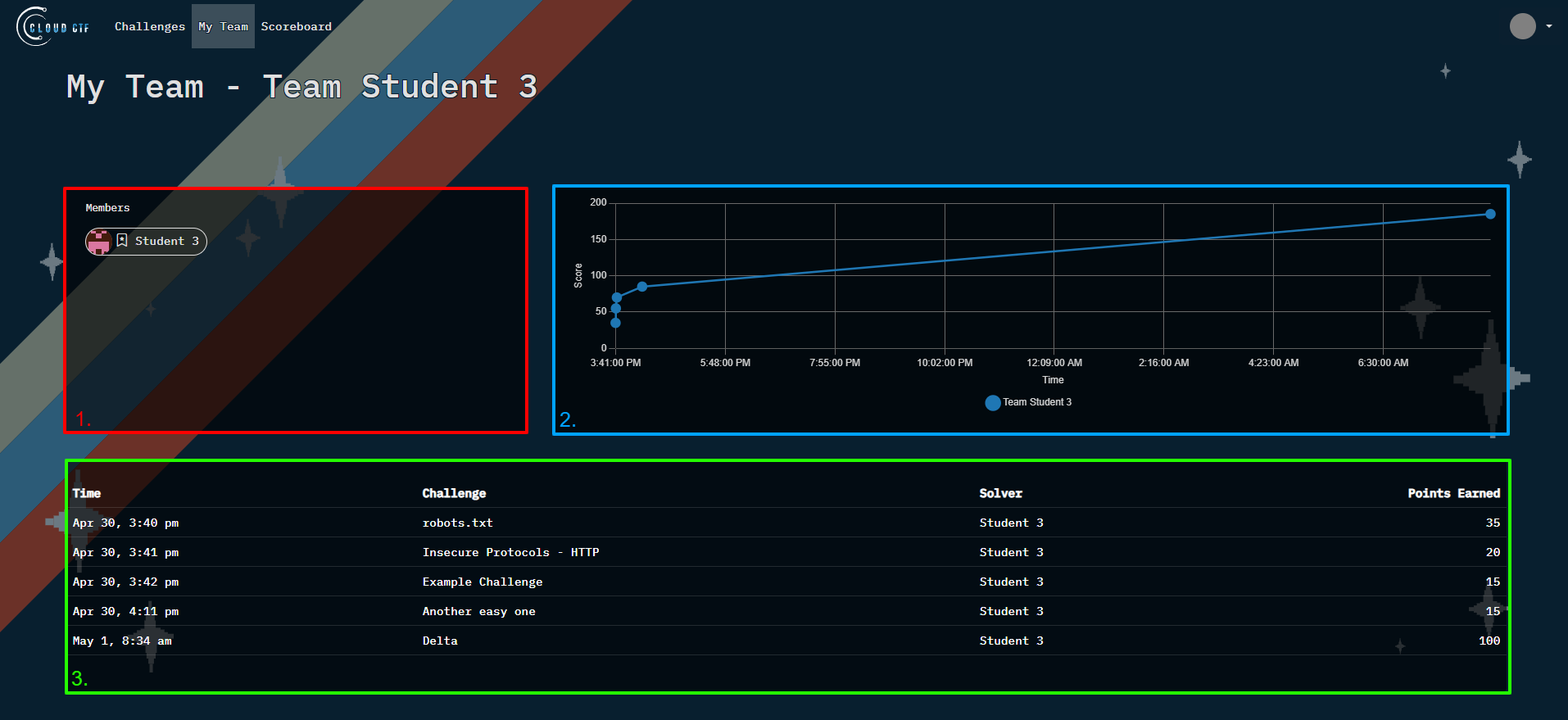
On the My Team page, you can view all of your team's activity. Players may work in either teams, or play solo and appear as a team of one. Players cannot complete challenges that have already been completed by other team members, and will display as one single team entry in the scoring.
-
In the member's display, you can find the names of all your teammates. The team leader is indicated with a bookmark symbol.
-
This graph displays your scoring curve from the beginning of the competition. You can easily view when high-point value challenges were completed or when lulls in scoring occurred.
-
This chart chronologically shows completed challenges, the solvers, and number of points earned.
Have a Question? Contact Support
If you experience any issues starting or viewing Cloud CTF in your web browser, please refer to the article titled Can't Launch Cloud CTF for helpful tips on resolving the matter.
If you still have questions after reviewing the information above, please reach out to your CTF Admin or Instructor who can submit a ticket to our Support Team on your behalf.
Thank You for Your Feedback!